
OpenScreen 2 is a free, open-source screen recorder and video editor that helps you create polished demo videos on the first take. It automatically plans zooms based on your clicks, smooths the cursor, and adds 3D camera moves, cursor themes, styled backgrounds, and webcam layouts. You can let its AI agent handle edits over MCP or edit manually by deleting words in the transcript. Available for Windows, macOS, and Linux under the MIT license, with no account or watermark required.
OpenScreen 2
Record your demo and let your AI agent do the edits
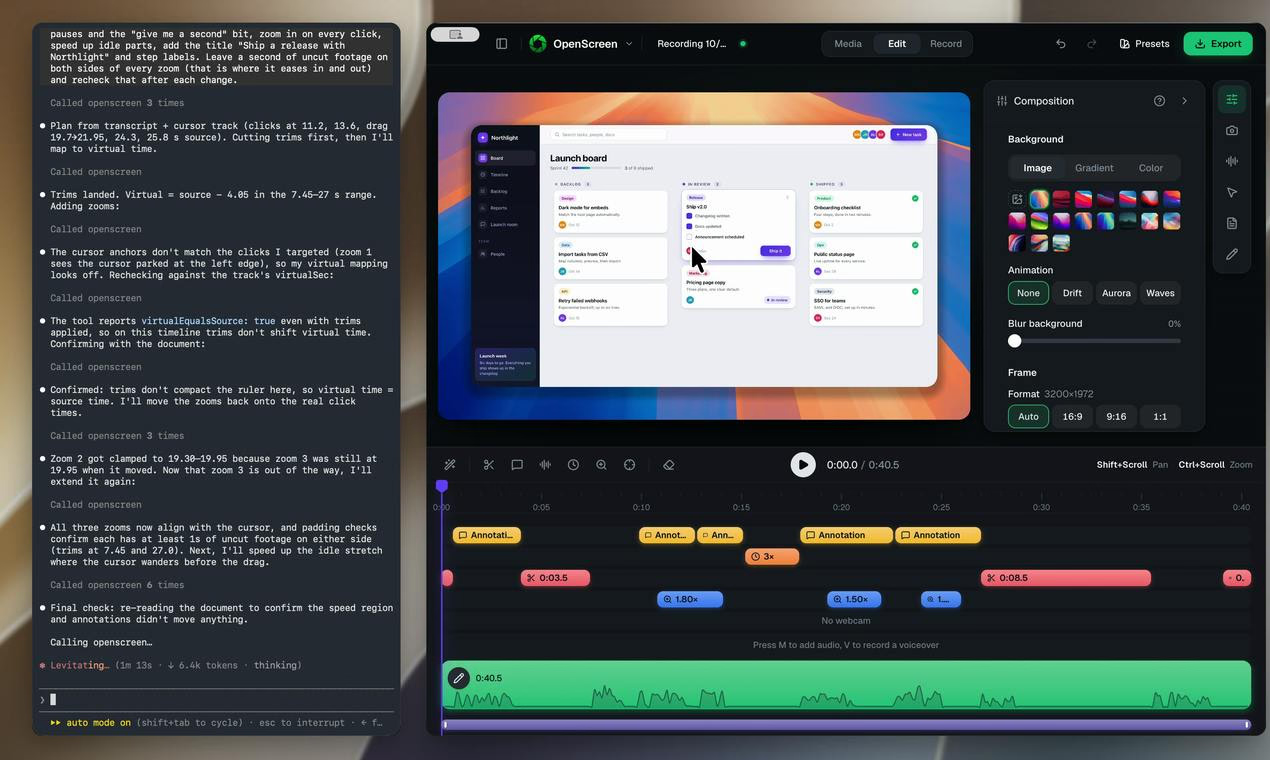
OpenScreen 2 Introduction
Key Features
- Automatic zooms planned from your clicks
- Smooth cursor movement with customizable cursor themes
- 3D camera moves, backgrounds, and webcam layouts
- AI agent editing over MCP
- Edit videos by deleting words in the transcript
- Free and open source under the MIT license, with no account and no watermark
Use Cases
- Recording polished product demos
- Creating tutorial and walkthrough videos
- Quickly editing screen recordings without video editing experience
Why Startups Use It
OpenScreen 2 helps startups produce professional demo and tutorial videos quickly, without paid editing software or watermarks, thanks to automated zooms, AI-assisted editing, and an open-source, cross-platform release.
Frequently Asked Questions
Is OpenScreen 2 free?
Yes, it is free, open source under the MIT license, with no account and no watermark.
Which platforms does OpenScreen 2 support?
It is available for Windows, macOS, and Linux.
Does OpenScreen 2 include AI-powered editing?
Yes, an AI agent can perform edits over MCP, or you can edit manually by deleting words in the transcript.
More About OpenScreen 2
PricingPaid
Listed DateOct 12, 2026
Authority Badge
Add our badge to your website to showcase product credibility and listing status.

Featured List