
Mechvibes 3 is a free and open source desktop app that plays a sound for every key press and mouse click, in any application. Users can pick sounds from a community library—mechanical switches, typewriters, and game sounds—or create their own in the browser. It is available for Windows, Linux, and Mac.

Mechvibes 3
Give your keyboard and mouse any sound you like
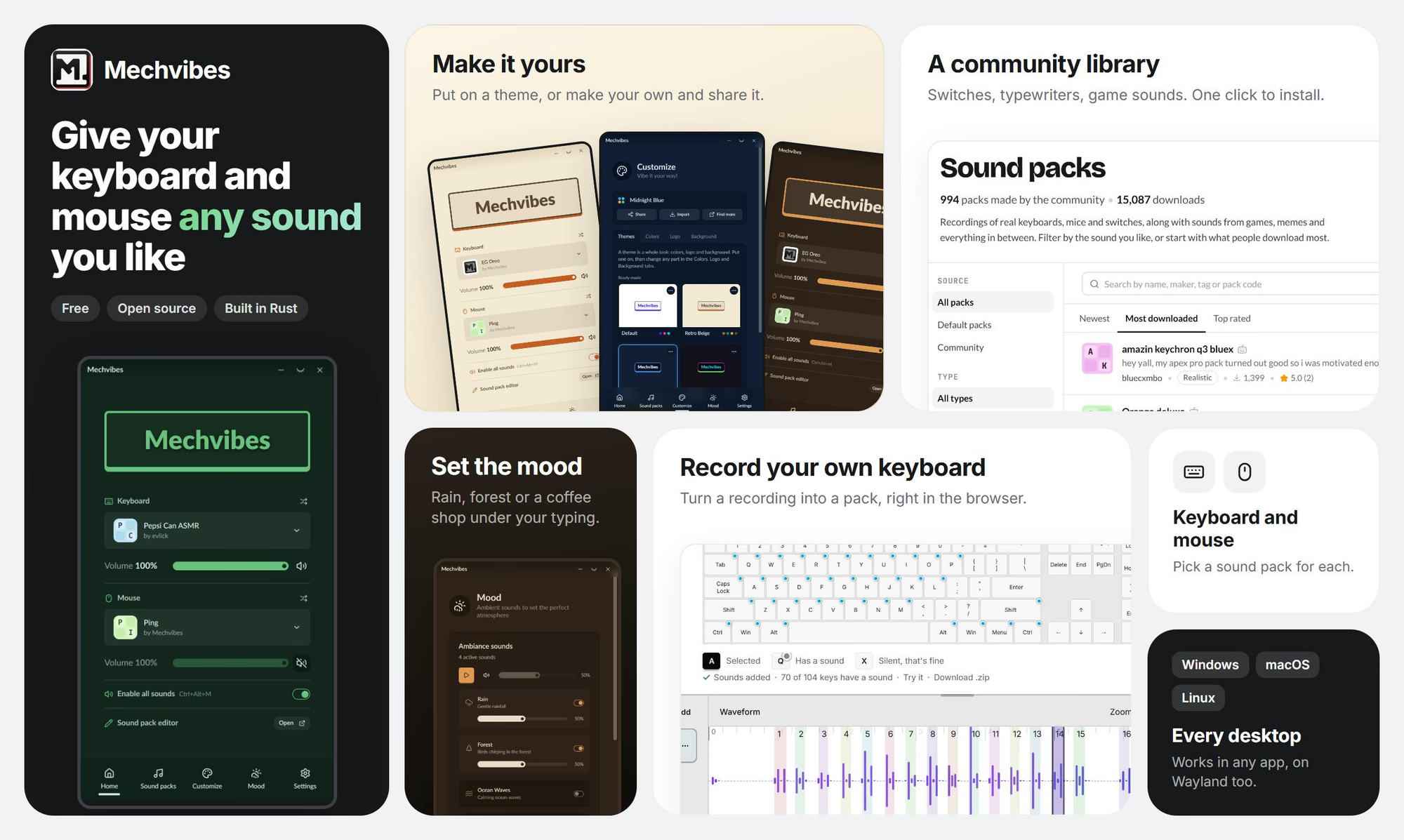
Mechvibes 3 Introduction
Key Features
- Plays a sound for every key press and mouse click, in any app
- Community sound library including mechanical switches, typewriters, and game sounds
- Create custom sounds in the browser
- Free and open source
- Works on Windows, Linux, and Mac
Use Cases
- Recreate the feel of a mechanical keyboard on any device
- Add fun or nostalgic typing sounds, such as typewriter or game effects
- Create and share personalized keyboard and mouse sound packs
Why Startups Use It
Mechvibes is free, open source, and lightweight, making it an easy way for teams and individual makers to personalize their typing experience without cost or setup friction.
Frequently Asked Questions
Is Mechvibes 3 free?
Yes, it is free and open source.
Which platforms does Mechvibes 3 support?
It supports Windows, Linux, and Mac.
Do the sounds work in all applications?
Yes, Mechvibes plays a sound for every key press and click in any app.
Other tools in Productivity

ASI:One
A personal AI with memory that plans and acts for you

LookAway 2
The Mac app your body thanks you for

StampCut
Stamp the world around you!

Cosyra
Run AI coding agents from your phone

Goals
AI turns your goal into one daily action.

RepoLens
Know what changed and what matters across your codebase

Morgen
Your entire morning in one tab.

Citable
Be in AI answers before your competitors. We do it for you.

Dex
Ask your data. Get answers and next steps.

Pulldog
A Mac application to keep your code reviews organized!
More About Mechvibes 3
PricingPaid
Category DescriptionTools to boost personal and team productivity, covering task management, collaboration, notes, automation, and workflow optimization.
Listed DateNov 07, 2026
Authority Badge
Add our badge to your website to showcase product credibility and listing status.

Featured List